Ask an AI tool for “a clever camping T-shirt” and you may get something polished, detailed—and completely wrong for the person who might wear it.
The missing ingredient is probably not a secret phrase. It is a decision: what is this result for, and how will you know whether it works?
A useful brief answers that question before the first draft. It gives the tool direction, but just as importantly, it gives the person reviewing the work something concrete to check.
A prompt asks; a brief defines the work
A prompt can be a single instruction. A brief is the small structure around that instruction: audience, intended result, constraints, helpful examples and acceptance checks.
That structure is not tied to one provider. Current guidance from both OpenAI and Google recommends clear instructions, relevant context and examples. Both also treat iteration as normal. The details vary between models, so a template should be a starting point, not folklore carved in stone.
The practical difference is simple. “Make it fun” leaves two people free to imagine entirely different things. “Make three friendly, understated directions for developers who dislike loud novelty shirts” creates a shared target.
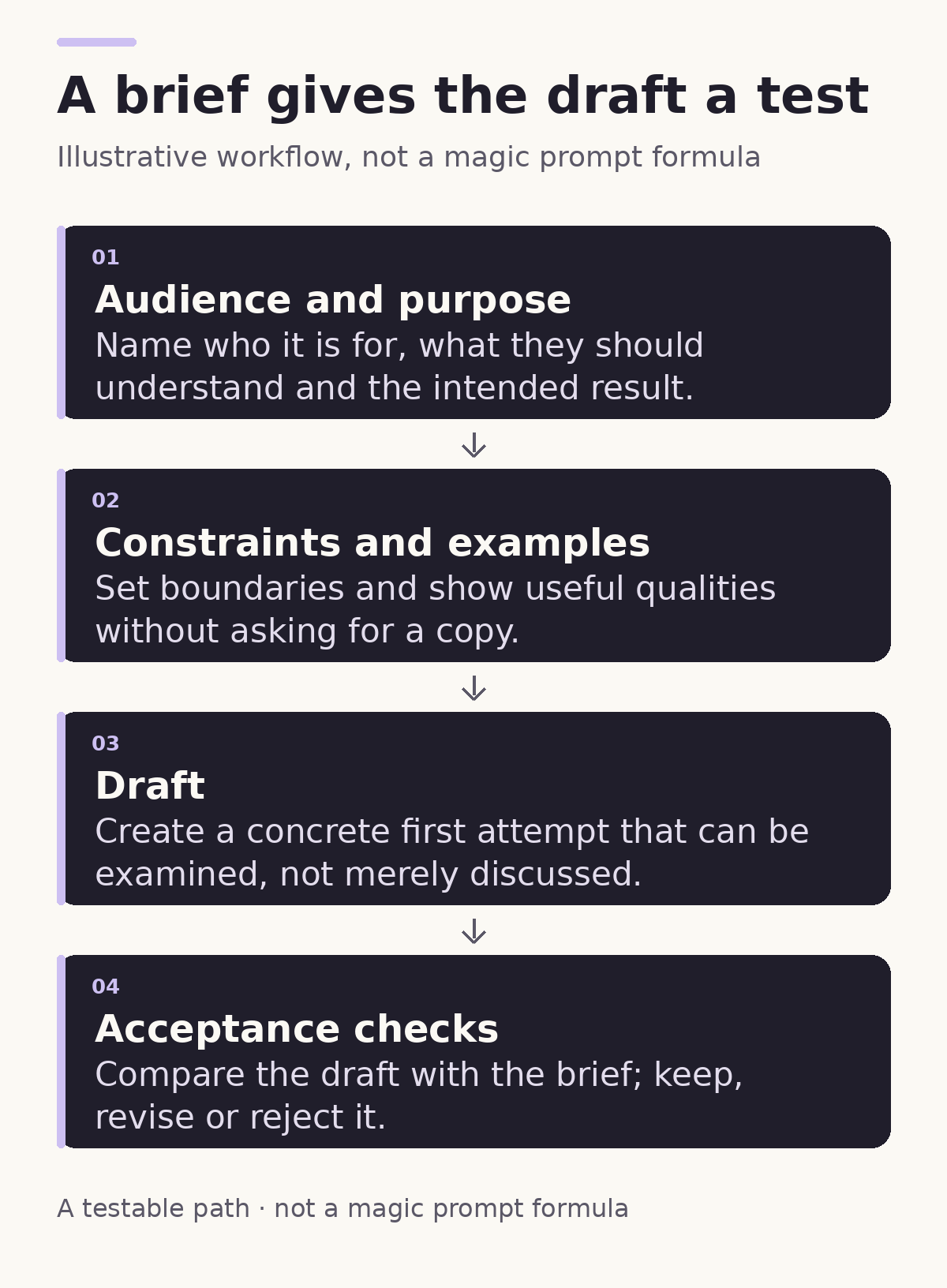
The flow ends with checks because the draft is not the finish line. It is the first thing you can inspect, discuss and improve.
Four parts worth writing down
Start with the audience and purpose. “People who like technology” is broad. “A software developer choosing a relaxed Friday shirt” gives you more to work with. Then name the intended result: perhaps three written concept directions, not a finished print file.
Next, add constraints. These can cover tone, required words, colours, things to avoid and the shape of the response. A useful constraint narrows the work for a reason. An arbitrary one merely makes the request longer.
Add examples when a quality is hard to describe. Examples can show the desired level of simplicity or the kind of humour you mean. They should clarify qualities, not invite the model to copy someone else’s work.
Finally, write acceptance checks before generating. Checks turn vague reactions into visible decisions: Does the exact phrase appear? Are there three distinct directions? Does each include the fields we requested? Did any option introduce a logo or claim we did not ask for?
Some judgements will stay subjective. “Would the intended reader enjoy this?” cannot be reduced to a checkbox. The point is not to remove human taste; it is to reserve human attention for the choices that actually need it.
A hypothetical merchandise brief
Here is a fictional, public-safe example. It is not a transcript of a Shirts Frenzy design session and it does not describe a real product.
Audience: Software developers who prefer understated humour.
Intended result: Produce three written directions for a front-of-shirt graphic. For each, provide a short name, a one-sentence visual description and a three-colour-or-fewer palette.
Purpose: The idea should read as a gentle inside joke, not a complaint about users or coworkers.
Constraints: Use the exact phrase “One More Tiny Fix.” Assume a dark garment. Avoid company logos, fake terminal screenshots, gradients and extra slogans.
Helpful qualities: Calm composition, quick recognition and enough empty space around the main phrase. Do not imitate a named artist or existing shirt.
Acceptance checks: There are exactly three distinct directions; every direction contains all requested fields; the phrase is exact; no palette exceeds three colours; no unrequested brand or factual claim appears.
This is longer than “make a clever shirt,” but length is not what makes it useful. Each line either directs the work or helps judge the result. If a line does neither, remove it.
Checks make revision cheaper to understand
Suppose a draft has four colours. The response is not “I don’t like it.” It is “This misses the palette constraint; revise it to three colours without changing the phrase.” If all the mechanical checks pass but the joke still feels mean, that is a human editorial decision—and now it can be discussed plainly.
Acceptance checks also expose contradictions early. If the brief asks for generous empty space, a dense collage and a large central phrase, the problem is not the model’s obedience. The brief contains competing instructions. Fixing that conflict is part of the work.
Official guidance reflects the same iterative reality. OpenAI recommends tests and evaluation checks for production prompts, while Google’s prompt design guide explicitly suggests trying, reviewing and revising. Neither recommendation means a checklist can prove originality, factual accuracy, print quality or customer demand. Those require appropriate human review and, when relevant, real production checks.
Try it on one small task
Take a request you already make of AI—an email, an image concept, a product description or a code change—and give it four headings:
- Audience and purpose
- Intended result
- Constraints and examples
- Acceptance checks
Write one or two useful lines under each, generate a draft, then review only against what you wrote. You will quickly discover which requirements matter and which were merely decoration.
The Shirts Frenzy story shows why an image is only the beginning of a merchandise idea. A brief sits just before that image: the quiet moment where an interesting thought becomes something a person and a tool can explore together—and where “looks clever” becomes a result you can actually consider.