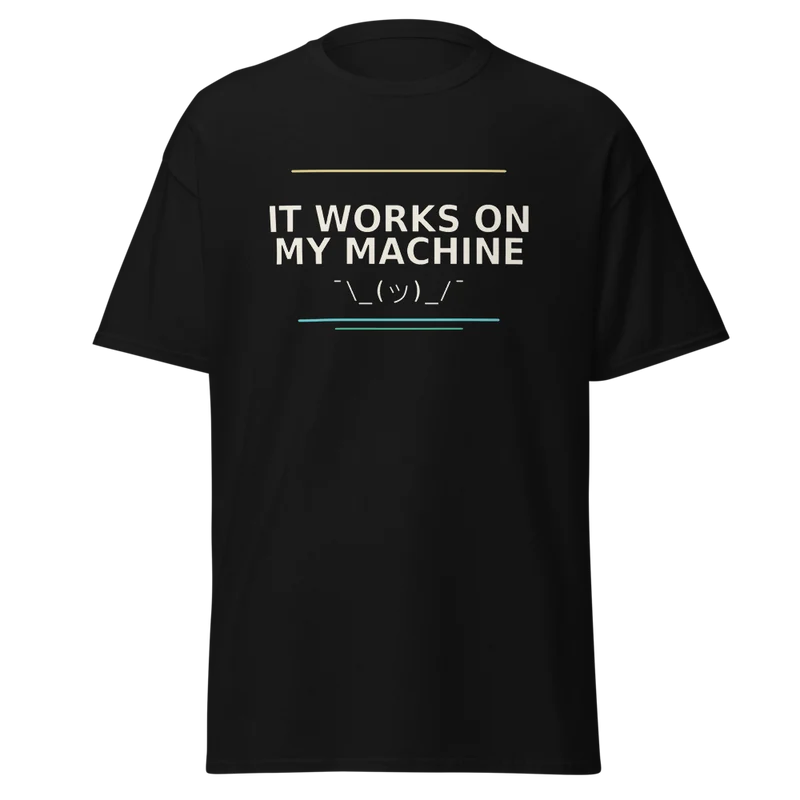
Works On My Machine / Runtime collection Storefront product mockup, not a photograph of a customer.
The bigger idea
A small brand. A lot behind it.
We wanted to make more than an image. We wanted to make something someone could choose, wear and enjoy.
That means thinking about the idea and the garment, the artwork and the listing, the shop and the story that introduces it. AI helps us explore and build. Our tools connect the repeatable parts; human judgement shapes the result.
Shirts Frenzy is a brand in its own right. It shares a home with Fifteen Frenzy, but its canvas reaches beyond the game—from developer humour to other creative collections.
A real design, unpacked
“Works On My Machine.”
A familiar developer joke became a Runtime shirt. Here is a curated look at its brief, finished artwork and product presentation.
Start with recognitionIT WORKS ON MY MACHINE.A familiar line. A shared experience.
01 / Give the idea a direction
A joke that lands at a glance.
The brief called for a familiar phrase, bold lettering and a small shrug. Light ink on a dark tee kept the message direct.
It explored four layout directions: plain type, a machine motif, a terminal window and a system label. That gives the exploration a purpose without prescribing every detail.
Based on this design’s source brief. The lettering beside this note is an editorial treatment, not an unreleased product.
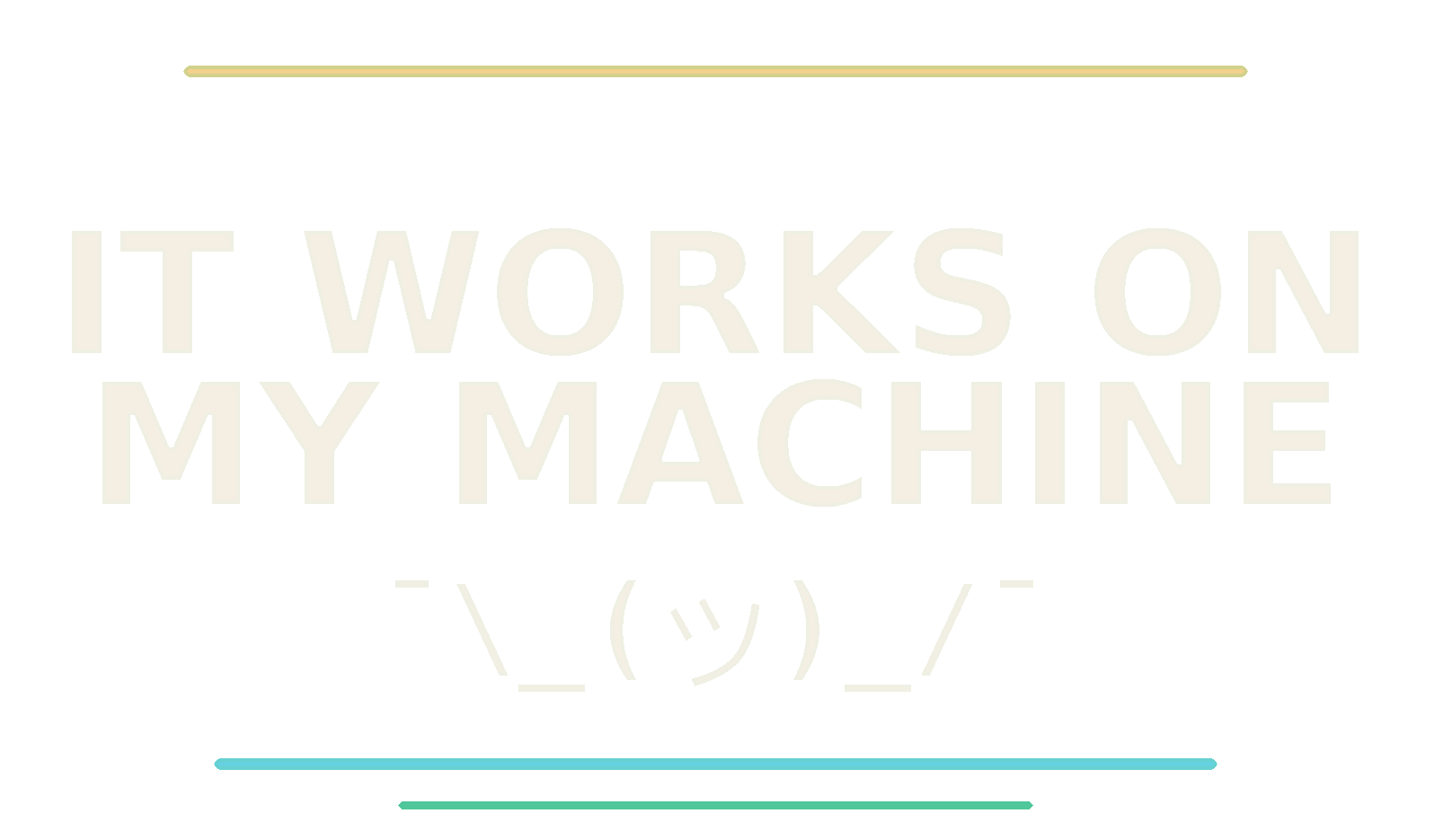
The finished artwork used for this product.
02 / Make the message readable
The idea, resolved into artwork.
The finished design uses two strong lines of type, a smaller shrug and restrained colour accents. It keeps the joke ahead of the decoration.
This is where a generated possibility needs to become a usable asset: readable lettering, considered spacing and a background suited to the intended garment.
The image is the actual prepared design—not a recreated “before” or a simulated generation.
Actual storefront mockup / Black classic tee.
03 / Think like a wearer
From a canvas to a garment.
Placement and scale matter. A mockup makes it possible to consider the design on the shirt, not only as a file on a screen.
Merch Studio and the product workflow connect prepared artwork, garment choices and listing assets. Shopify presents the product; Printful provides print-on-demand fulfilment.
The listing gives the design a name, a description and a place in a collection. Product imagery then becomes material for telling the story in different formats.
Marketing CLI supports the wider content workflow: organising ideas, preparing posts and adapting a story for the places it will be shared.
Six connected roles help the work move from an idea toward a customer. Explore what each contributes.
Human direction throughout
Set the brief. Consider the result. Choose what moves forward.
Businessman OS / Coordinate
Give the work a home.
Our workspace brings tasks, agents and creative studios together. It gives the people directing the work somewhere to review ideas and decide what deserves to move forward.
↳ Connects the brief, the creative tools and the human review.
MiniClaw / Create
Turn a brief into possibilities.
MiniClaw runs the AI and media tasks behind our tools. It supports exploration across images, sound and video, while the surrounding workflow gives each request its purpose.
↳ Connects creative requests to model execution—not to a visitor’s browser.
Merch Studio / Prepare
An image is not yet a product.
Artwork needs a place on a garment. Merch Studio brings together design preparation, print placement and product mockups so the result can be considered as something someone will actually wear.
↳ Connects the chosen artwork to a product-ready presentation.
Shopifier / Publish
Carry the details into the shop.
Shopifier is our automation tooling for Shopify operations. It helps move prepared products, images and listing details into the storefront and supports the work around the shop.
↳ Connects the prepared product to the commerce workflow.
Shopify + Printful / Make & deliver
Let the product reach a person.
Shopify is the storefront; Printful is the print-on-demand partner. Our tooling connects the shop’s product and order work with fulfilment. They are services we use, not products we built.
↳ Connects a customer’s choice to a physical product.
Marketing CLI / Share
Give the work a story.
A finished product needs a way to be discovered. Our marketing tooling organises content, prepares channel-specific posts and supports scheduled delivery across the channels we use.
↳ Connects product stories to the audience—not an automatic promise of reach.
A conceptual workflow, not a live dashboard or a sequence of API calls. Select a tool to explore its role; keyboard and touch work too.
What this makes possible
More room for the next idea.
Building the surrounding tools is part of building the business. Each useful connection gives a small team another way to explore, refine and bring something into the world.
That is the point of Tech in the Box: not a promise that everything happens on its own, but a look at what becomes possible when people and useful tools work together.